
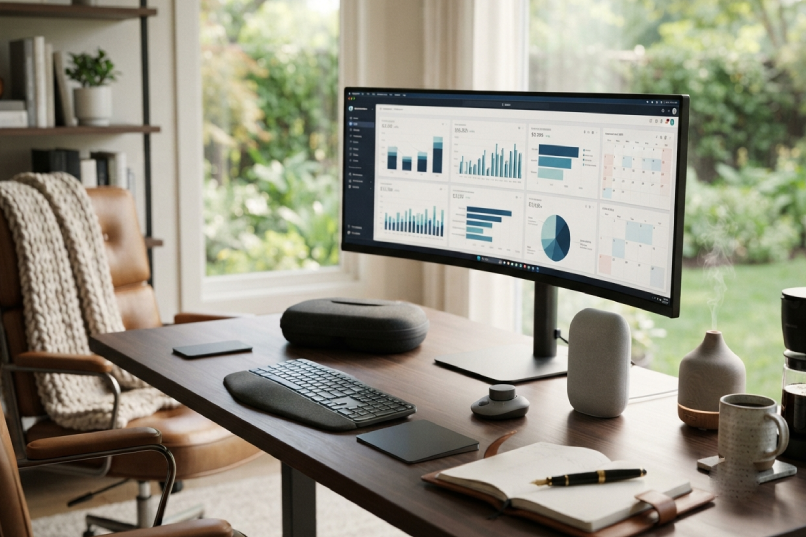
Productivity is the category most aggressively marketed and most inconsistently defined. A productivity tool that makes a focused person more focused is useful. A productivity tool that provides the feeling of being organised without producing the output that organisation is supposed to enable is the more common commercial reality.
Productivity is the category most aggressively marketed and most inconsistently defined. A productivity tool that makes a focused person more focused is useful. A productivity tool that provides the feeling of being organised without producing the output that organisation is supposed to enable is the more common commercial reality.
The Productivity Framework Worth Having
Productivity tools work best within a simple, consistent system rather than as independent interventions. The most useful framework: capture everything that requires attention in one place, process that list regularly, and schedule specific time for specific types of work. The tools below support this framework rather than replacing it.
The Best Productivity Tools Worth Buying
Available at: Notion (notion.so), App Store, Google Play
Best for: Those who want a single, flexible digital workspace for notes, project tracking, and knowledge management.
Notion is the digital workspace tool that has replaced multiple separate tools for many knowledge workers — replacing the note-taking app, the project management tool, the wiki, and the database simultaneously in a single flexible interface. The specific Notion advantage over more structured alternatives is the flexibility: a Notion workspace looks and functions exactly as its user decides it should, which both enables powerful customisation and requires deliberate setup to work effectively.
The database views (table, board, gallery, calendar, timeline) applied to the same underlying data are the specific functionality that makes Notion more powerful than standard note-taking apps — a project list that reads as a table for planning and as a board for status tracking and as a calendar for scheduling is more useful than three separate tools for three separate views of the same information.
Available at: Leuchtturm1917 (leuchtturm1917.com), Amazon, Cult Pens
Best for: Those who want a quality physical notebook for daily note-taking, journaling, or planning.
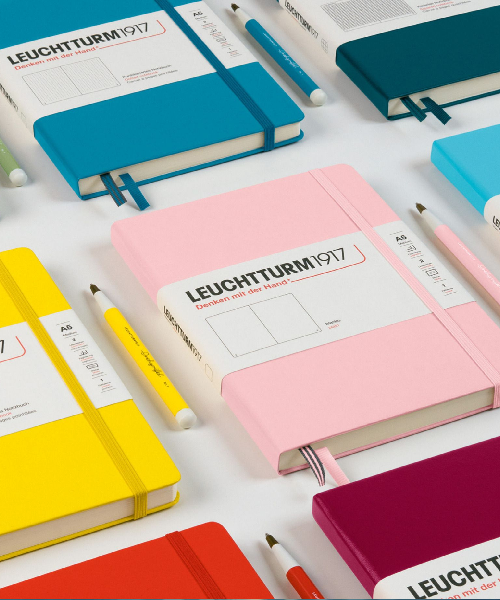
The Leuchtturm1917 A5 in hardcover with dotted pages is the notebook recommendation because the specific combination of features — numbered pages, a table of contents, a pocket in the back cover, an elastic closure, two ribbon bookmarks, and ink-proof paper — addresses most of the functional limitations of standard notebooks without the premium price of higher-end alternatives.
The dotted grid format is the specific recommendation over lined and blank — the dots provide light visual reference for writing and drawing without the visual intrusion of full lines, allowing the notebook to function for written notes, sketches, diagrams, and planning layouts equally.
Physical note-taking produces better retention and more considered thought organisation than digital typing for most people — the research on this is consistent. The notebook is the investment in that quality of thinking.
Available at: Sony (sony.co.uk), Amazon, John Lewis, Currys
Best for: Those who work in environments with significant noise and want the most effective noise cancellation available for focused work.
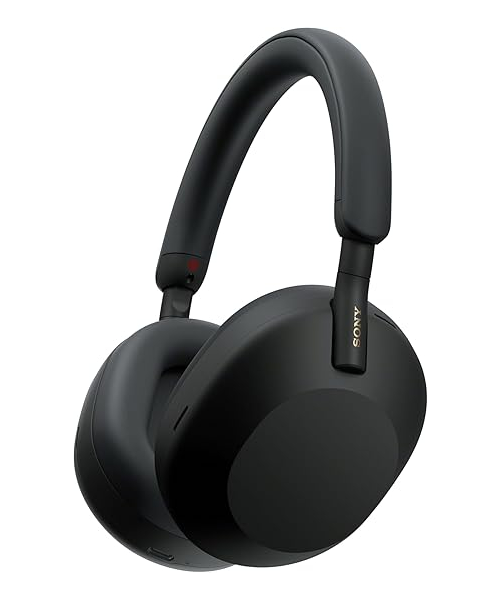
Active noise cancellation is the technology that produces focused work in environments — open offices, cafés, coworking spaces, homes with other occupants — that would otherwise prevent it. The Sony WH-1000XM5 is consistently rated the best ANC performance in the consumer headphone category across independent reviews — the specific noise cancellation quality that reduces the noise floor enough for deep work to be possible in most real-world environments.
The battery life (thirty hours at maximum noise cancellation) and the comfort across extended wear (the memory foam ear cushions that don’t produce heat and pressure discomfort after two hours) are the practical specifications that determine whether the headphones actually enable the focused work sessions they’re purchased for.
Available at: Amazon (amazon.co.uk), John Lewis
Best for: Those who read regularly and want a dedicated reading device without the screen-time concerns of reading on a phone or tablet.
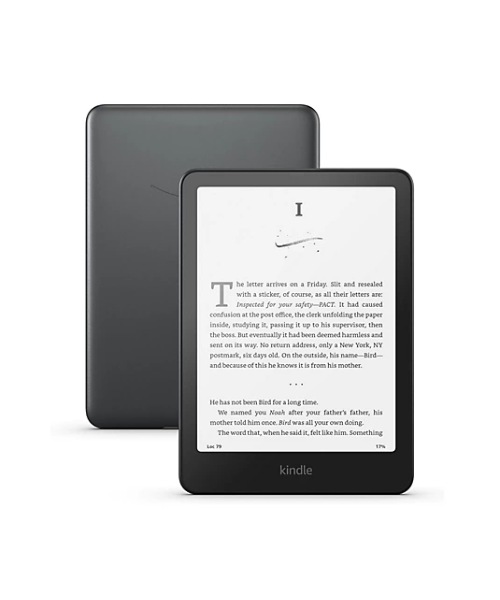
The Kindle Paperwhite is the reading device recommendation for those who want to read more without adding to the screen time that other digital activities already consume. The e-ink display doesn’t produce the blue light exposure that affects sleep quality when reading in the evening — the specific characteristic that distinguishes the Kindle from reading on a phone or tablet. The six-week battery life removes the charging discipline that phones require. The waterproof construction (IPX8) allows bath reading without anxiety.
The specific Paperwhite advantage over the base Kindle: the higher-resolution display, the flush-front design (no raised bezel that accumulates dust), and the adjustable warm light (shifting toward orange for evening reading) are the quality-of-life improvements that make a significant difference across years of daily reading use.
Available at: Focusmate (focusmate.com)
Best for: Remote workers and freelancers who find accountability to another person more effective than self-imposed deadlines.
Focusmate pairs users for virtual co-working sessions — typically 50 minutes of parallel working where each person states at the start what they’ll accomplish and reports at the end whether they did. The social accountability effect produces work completion rates that self-imposed deadlines frequently don’t match.
The specific population for whom Focusmate produces the most significant improvement: those who work well in libraries, cafés, or offices (environments where other people are working) and poorly at home alone. The virtual co-working session replicates the social accountability of a shared working environment without requiring leaving the house.
Available at: Roam Research (roamresearch.com)
Best for: Those who work with complex information and want a tool that builds connections between ideas rather than simply storing them.
Roam Research is the specific productivity tool recommendation for those whose work involves managing complex, interconnected ideas — academics, researchers, writers, strategic thinkers. The bidirectional linking system (every note links to every other note that references it, automatically) builds a knowledge graph rather than a folder hierarchy, which produces a different and more generative way of working with accumulated notes and ideas.
The learning curve is significant. The specific people for whom Roam is worth the investment are those who’ve found that their note archives are collections of things they’ve thought rather than resources they actively use — Roam’s connection-first approach changes notes from archive to active thinking tool.
Conclusion
Productivity tools produce genuine improvement when they address specific friction points rather than providing the feeling of being organised. Notion for the flexible digital workspace that replaces multiple separate tools. Leuchtturm1917 for the physical notebook that produces the thinking quality that digital capture doesn’t always achieve. Sony WH-1000XM5 for the noise cancellation that enables focused work in imperfect environments. Kindle Paperwhite for reading without screen-time concerns. Focusmate for the social accountability that produces work completion for those who work better with others. And Roam Research for those whose work requires managing complex, connected ideas. Whatever you use — build a simple, consistent system first. The tool that supports a simple system produces more output than the sophisticated tool without one.

